Mac menu bar app

See app permission changes
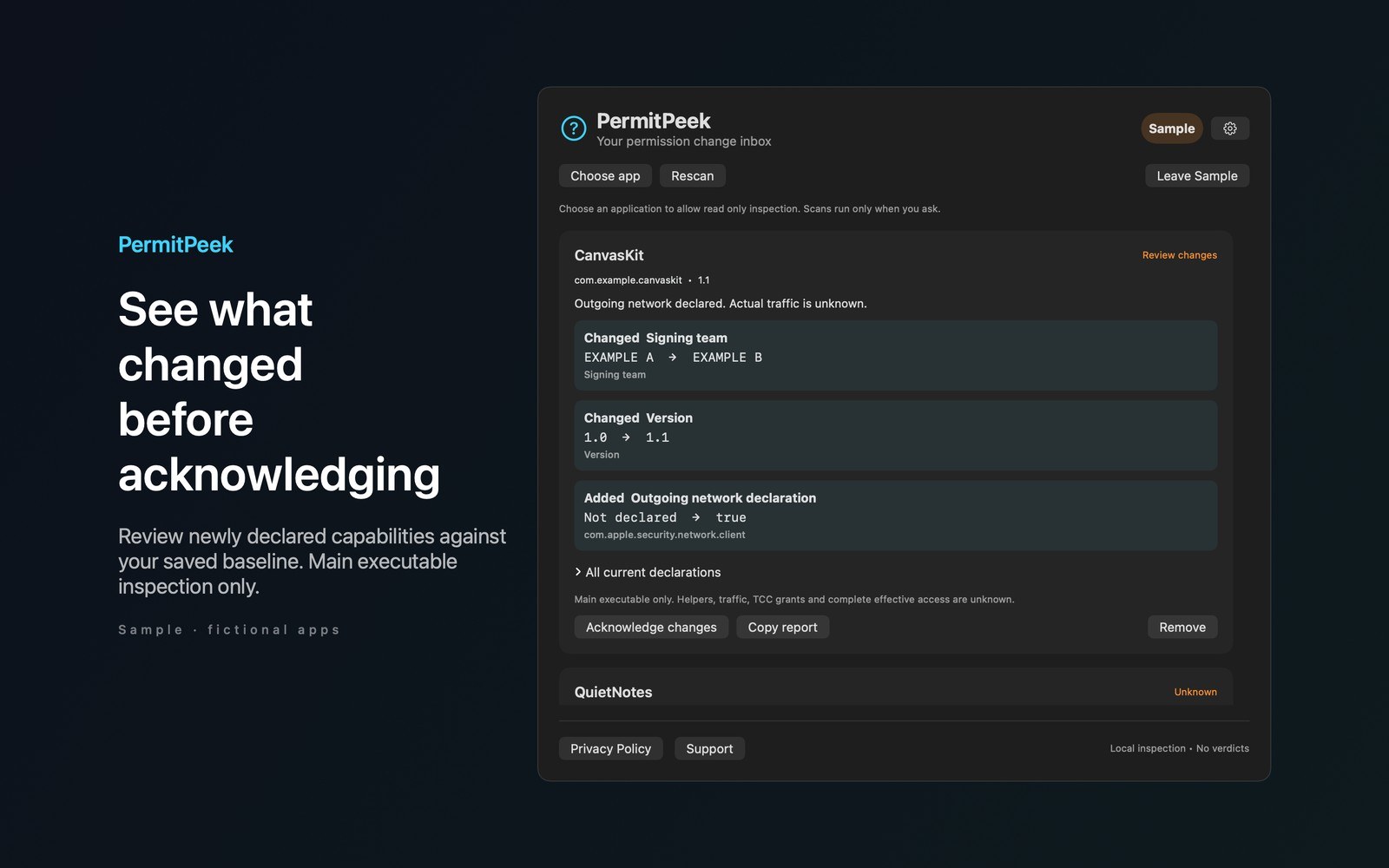
PermitPeek compares an app’s code signing entitlements against a baseline you acknowledge, so you can review changes after an update.
What the price covers Watch the code signing entitlements of installed apps. See added, removed, and changed declarations after an update, and keep a baseline you control.
Check the App Store purchase and refund terms when the app is released.
Requires macOS 14.0 or later
What it does
What PermitPeek does
From the menu bar
PermitPeek compares an app’s code signing entitlements against a baseline you acknowledge, so you can review changes after an update. Choose an application with the system picker. PermitPeek reads its static signing information without running it. Rescan compares entitlement keys and values, the app version, and the signing team against your baseline.
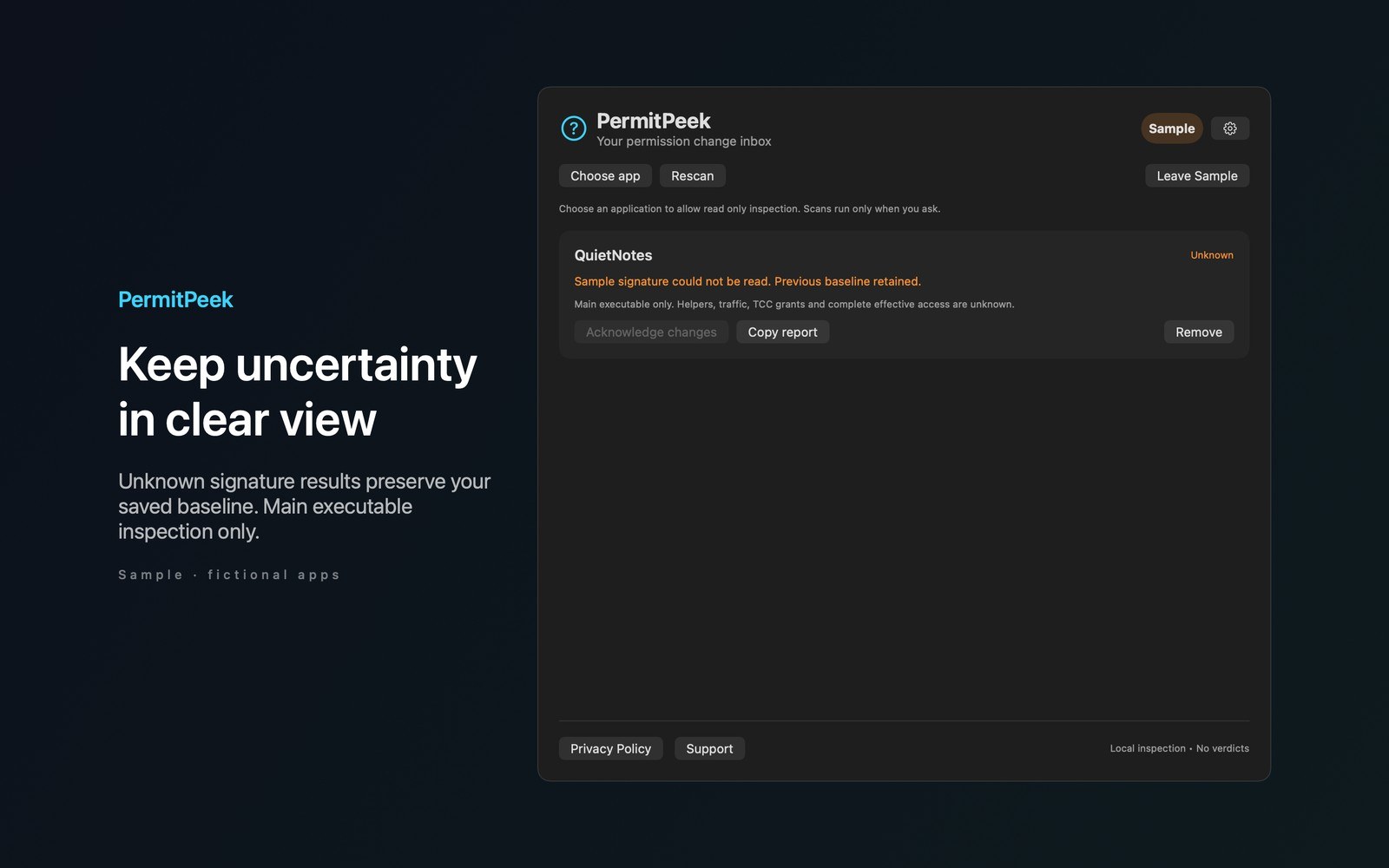
- Inside the appReview added, removed, and changed declarations. Acknowledge changes to replace the baseline. Failed reads do not erase it. Copy a local report or remove a watched app without modifying its bundle.
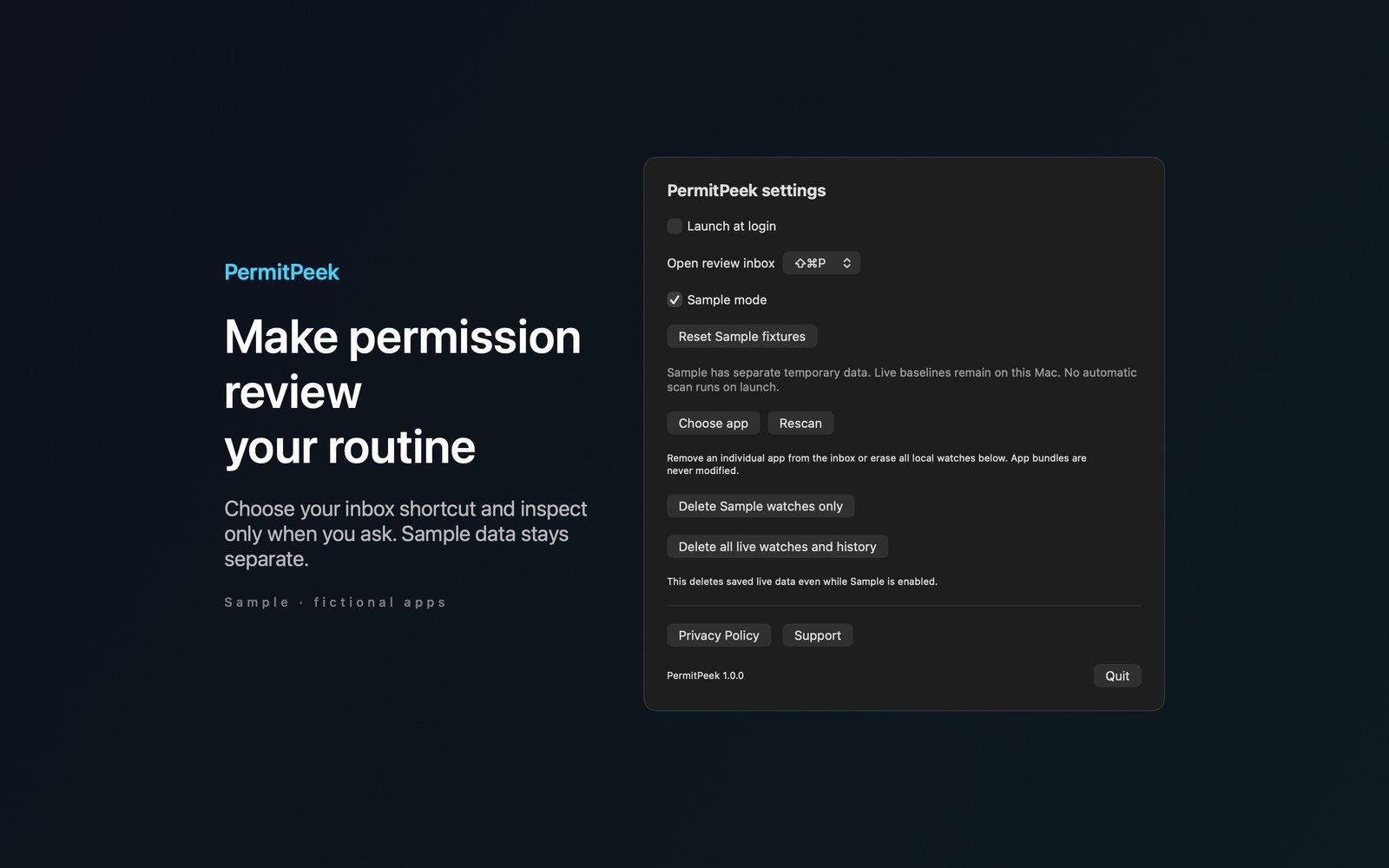
- Working with PermitPeekOpen the inbox with Shift Command P. Settings offer another shortcut and a menu bar fallback if registration fails. Try Sample uses fictional CanvasKit and QuietNotes apps to show changed declarations and an unreadable signature. Sample watches are separate from your live watches.
- Before you use itSigning metadata and baselines stay on your Mac. There are no accounts or app network requests. PermitPeek doesn’t read app documents, monitor traffic, or upload software inventories. More Mac menu bar apps by Barframe at barframe.com.
Inside the app
More screenshots
Who it is for
Using PermitPeek
Watch the code signing entitlements of installed apps. See added, removed, and changed declarations after an update, and keep a baseline you control.
Privacy and support
Read PermitPeek’s privacy policy and support page.
App privacy policy · Get help with PermitPeek · PermitPeek support
Good to know
App details
What does PermitPeek do?
PermitPeek compares an app’s code signing entitlements against a baseline you acknowledge, so you can review changes after an update.