Mac menu bar app

Compare connection failures
RouteLoom gives you a clearer connection incident report by checking a reference endpoint and a work endpoint together.
What the price covers Compare a reference endpoint with a work endpoint during the same incident. Tell a shared failure from a target only failure and copy a support ready report.
Check the App Store purchase and refund terms when the app is released.
Requires macOS 14.0 or later
What it does
What RouteLoom Connection Report does
From the menu bar
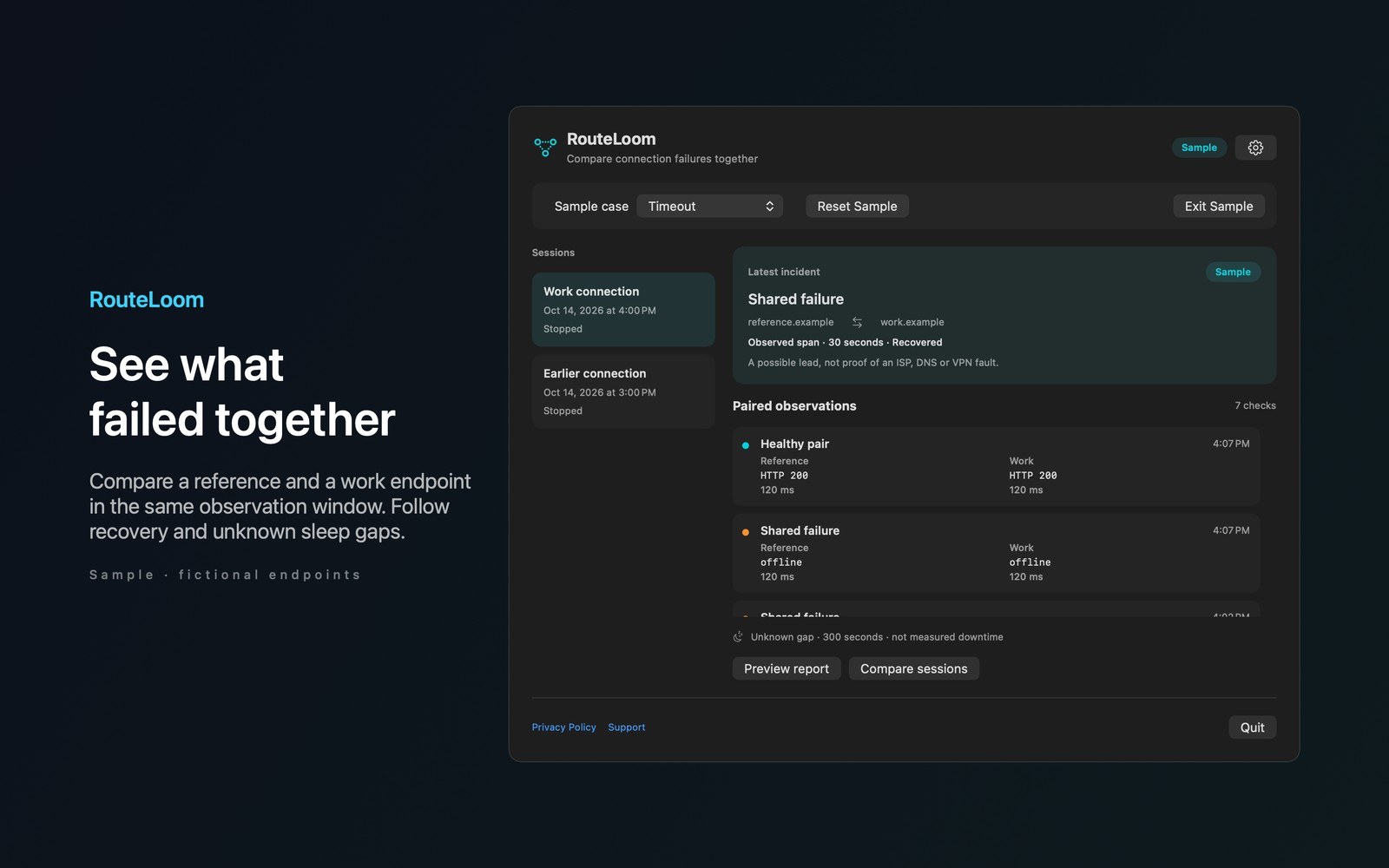
RouteLoom gives you a clearer connection incident report by checking a reference endpoint and a work endpoint together. See whether failures affect your work service, your reference service or both. Record HTTP responses and transport errors with timestamps and request durations.
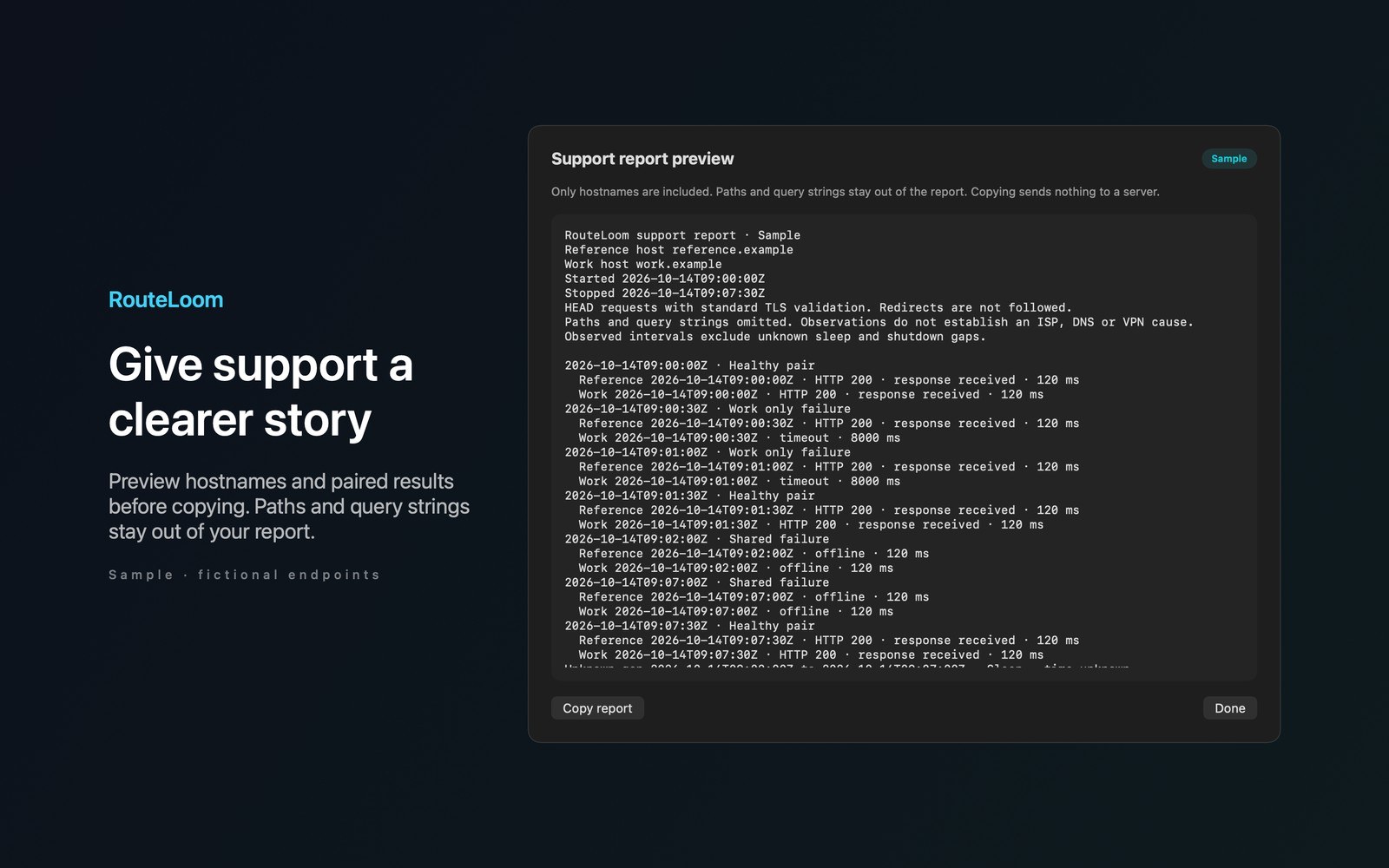
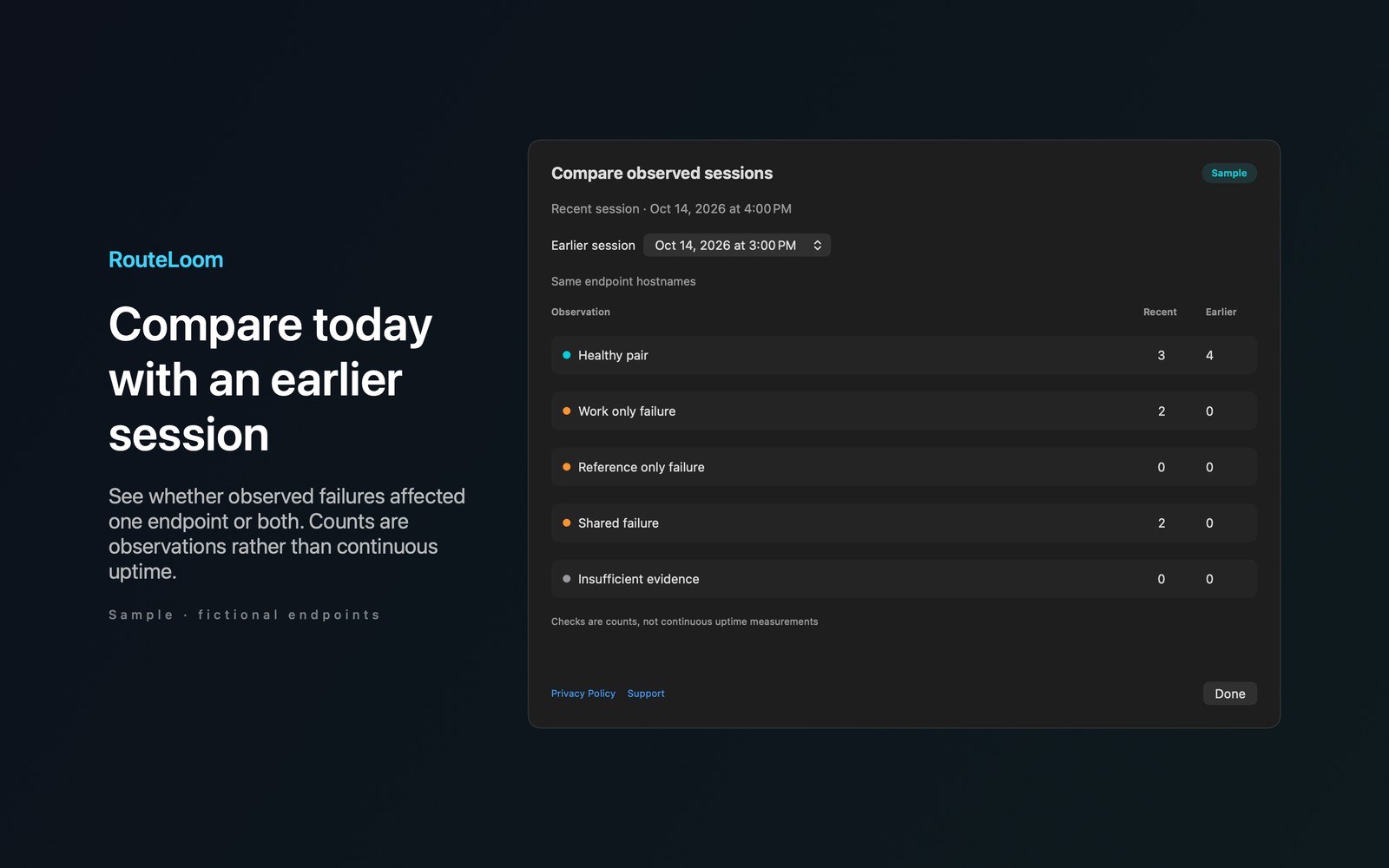
- Inside the appFollow incidents from a healthy pair through observed failure and recovery. Keep sleep and shutdown gaps separate from observed failure spans. Preview a support report with hostnames while omitting paths and query strings. Compare recent sessions with earlier observations saved on this Mac.
- Working with RouteLoom Connection ReportOpen the current incident with a configurable global keyboard shortcut. Explore timeout, offline and TLS failure cases in Sample mode without network requests. Configure one named pair of HTTPS endpoints before starting. Nothing runs on first launch.
- Before you use itHistory stays local. RouteLoom has no account, telemetry, analytics or developer backend. Endpoint servers see requests and your source IP. Reports are copied only when you choose Copy report after viewing the preview.
Inside the app
More screenshots
Who it is for
Using RouteLoom Connection Report
Compare a reference endpoint with a work endpoint during the same incident. Tell a shared failure from a target only failure and copy a support ready report.
Privacy and support
Read RouteLoom Connection Report’s privacy policy and support page.
App privacy policy · Get help with RouteLoom Connection Report · RouteLoom Connection Report support
Good to know
App details
What does RouteLoom Connection Report do?
RouteLoom gives you a clearer connection incident report by checking a reference endpoint and a work endpoint together.