Mac menu bar app

Resume your next small task
StepQuay keeps your next small action in the menu bar so you can return to it after an interruption.
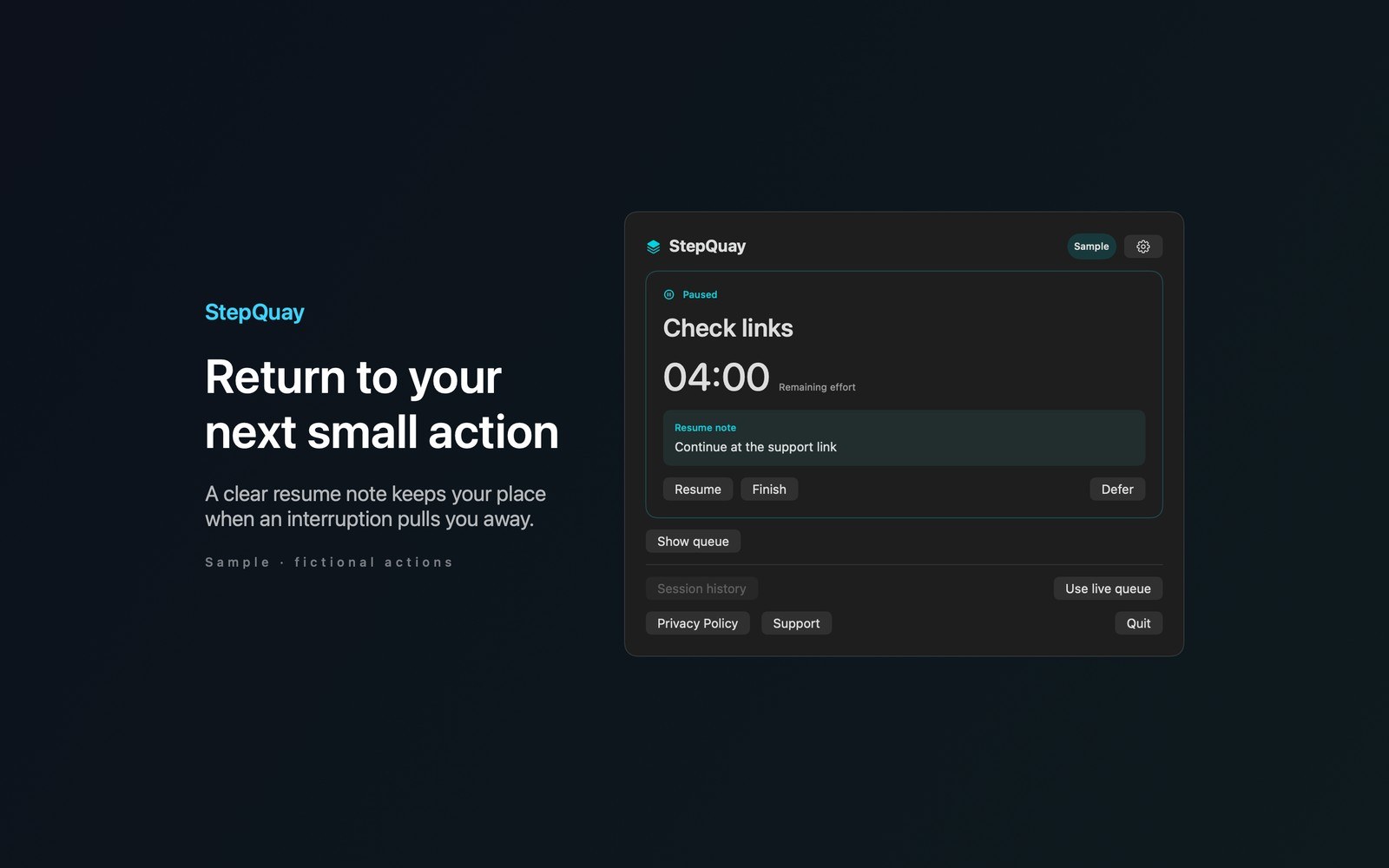
What the price covers Keep your next small action in the menu bar. Add a resume note, preview what fits your time budget, and pick up right where an interruption left you.
Check the App Store purchase and refund terms when the app is released.
Requires macOS 14.0 or later
What it does
What StepQuay does
From the menu bar
StepQuay keeps your next small action in the menu bar so you can return to it after an interruption. Build an ordered queue with estimated effort for each action. Enter your available time to preview which consecutive actions fit. Overflow stays in your queue.
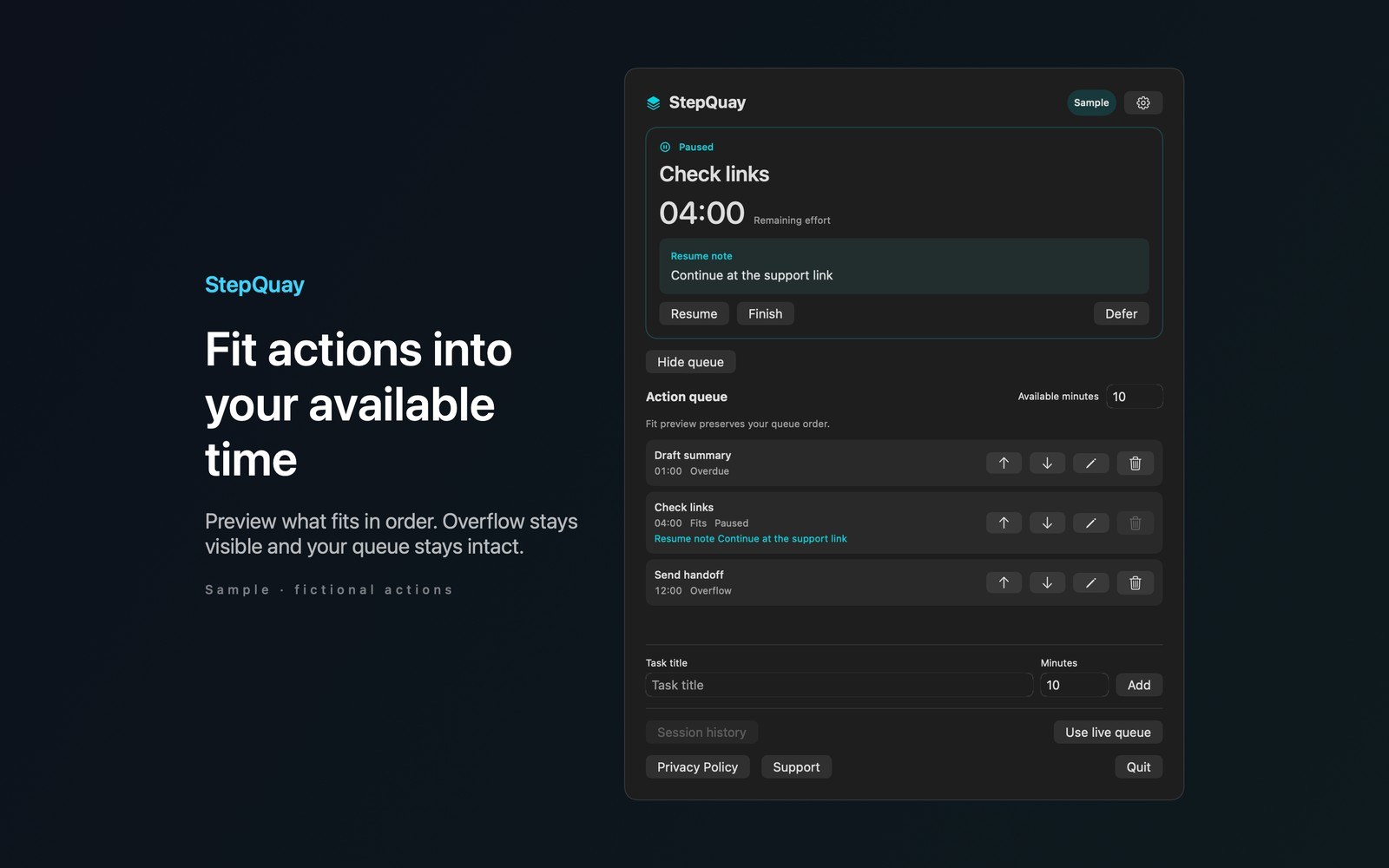
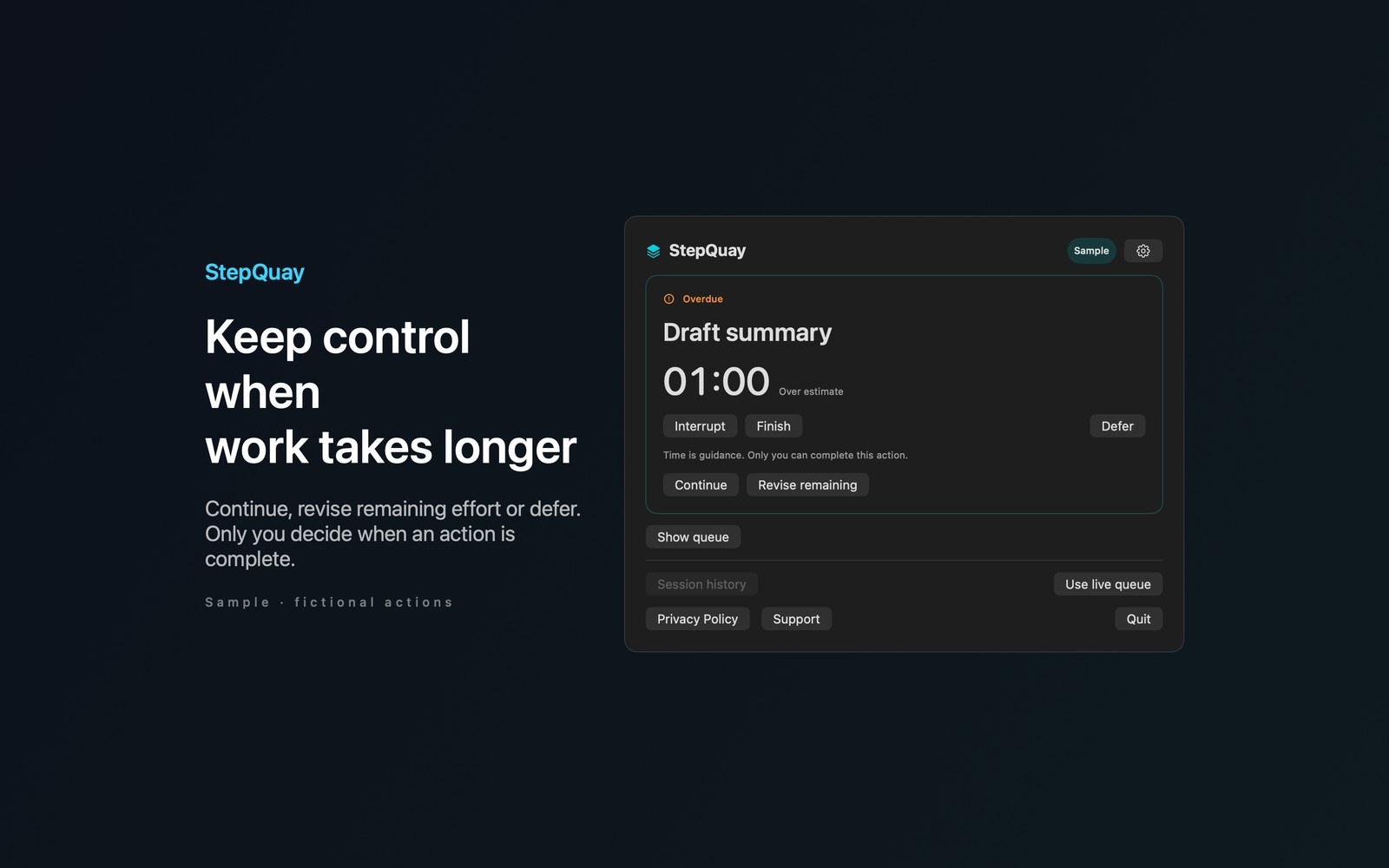
- Inside the appWhen you pause, save a short resume note. Read it when you return and resume the remaining time. Sleep pauses active timing and requires you to resume after waking. An expired timer never completes your work.
- Working with StepQuayOpen the panel with Command Option K or choose a different shortcut in Settings. Use Command Return to start, Command I to interrupt, Command R to resume, and Command F to finish. Try Sample explores a fictional launch checklist without changing your live queue. Settings include history retention and local history deletion.
- Before you use itYour actions, notes, and history stay on your Mac. There are no accounts, analytics, cloud sync, or app network requests. More Mac menu bar apps by Barframe at barframe.com.
Inside the app
More screenshots
Who it is for
Using StepQuay
Keep your next small action in the menu bar. Add a resume note, preview what fits your time budget, and pick up right where an interruption left you.
Privacy and support
Read StepQuay’s privacy policy and support page.
App privacy policy · Get help with StepQuay · StepQuay support
Good to know
App details
What does StepQuay do?
StepQuay keeps your next small action in the menu bar so you can return to it after an interruption.