Mac menu bar app

Net payments in your menu bar
RevPulse displays your Stripe payment summary in the macOS menu bar.

What the price covers See net payment movements, a weekly sparkline and monthly goal in your menu bar. Explore Sample mode before connecting your restricted API key.
Check the App Store purchase and refund terms when the app is released.
Requires macOS 14.0 or later
What it does
What RevPulse does
From the menu bar
RevPulse displays your Stripe payment summary in the macOS menu bar. See today's and yesterday's net payment movements, a weekly sparkline, month-to-date net, new customers and subscriptions, failed payments, settlement refunds and monthly goal progress. Money is dated in UTC using charge/payment and refund/reversal balance transactions, with fees included.

- Inside the appPayouts, transfers and unrelated adjustments are excluded. Amounts use the account's default settlement currency; multiple settlement currencies show Net unavailable instead of combined totals. Sample mode lets you explore the interface without credentials.
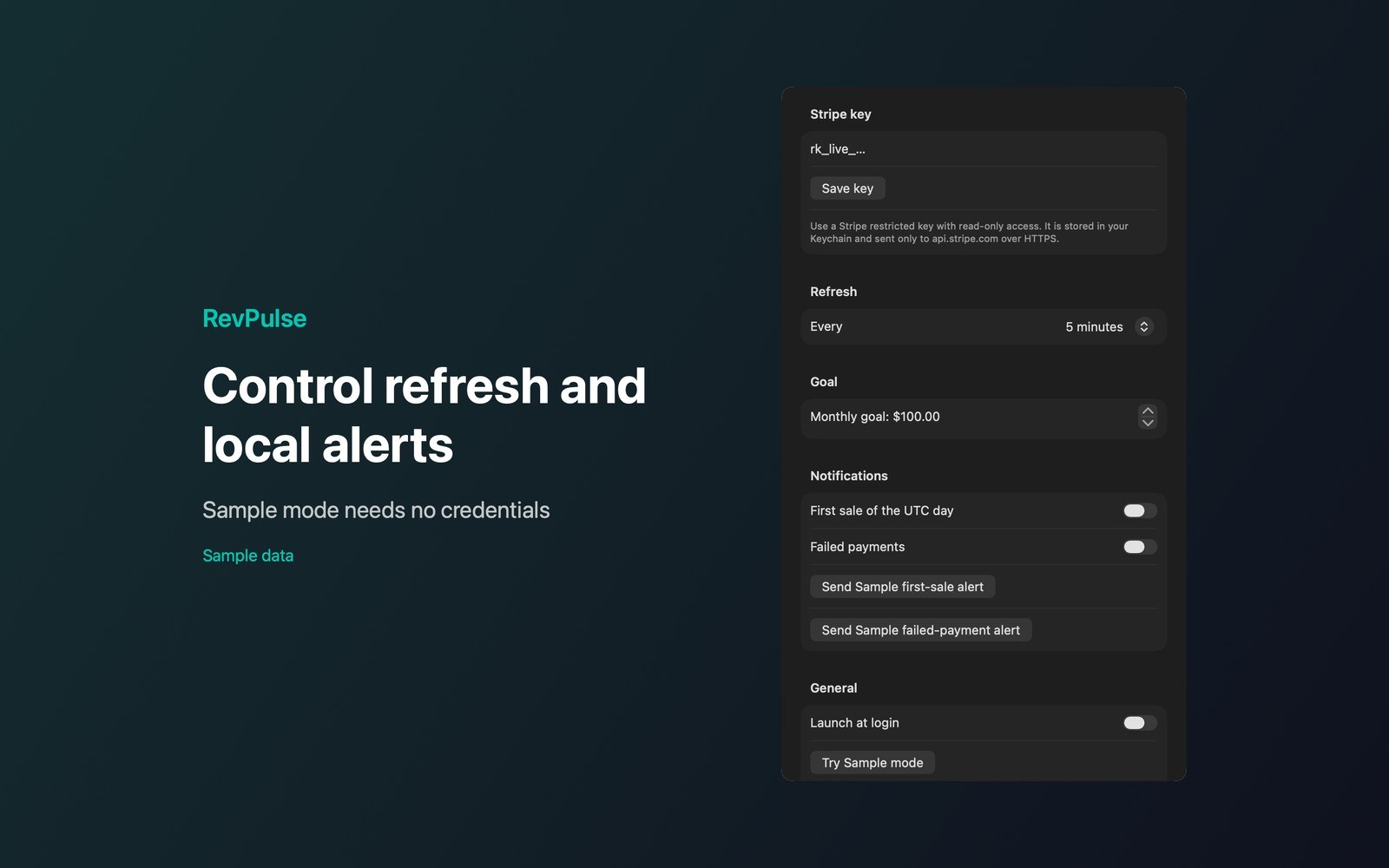
- Working with RevPulseStore a restricted API key in macOS Keychain; configure it with read-only permissions for the required resources. The app makes direct HTTPS API requests with no disk cache. Choose automatic refresh every 1, 5, 15 or 30 minutes.
- Before you use itSeparate first-sale and failed-payment notifications and launch at login start disabled. Read the complete privacy policy and support guide offline from the panel or Settings. RevPulse is independent and isn’t endorsed by Stripe.
Inside the app
More screenshots
Who it is for
Using RevPulse
See net payment movements, a weekly sparkline and monthly goal in your menu bar. Explore Sample mode before connecting your restricted API key.
Privacy and support
Read RevPulse’s privacy policy and support page.
App privacy policy · Get help with RevPulse · RevPulse support
Good to know
App details
What does RevPulse do?
RevPulse displays your Stripe payment summary in the macOS menu bar.