Mac menu bar app

Check shortcut plan conflicts
KeyOverlap checks the keyboard shortcuts you enter and flags overlaps before you change your apps.
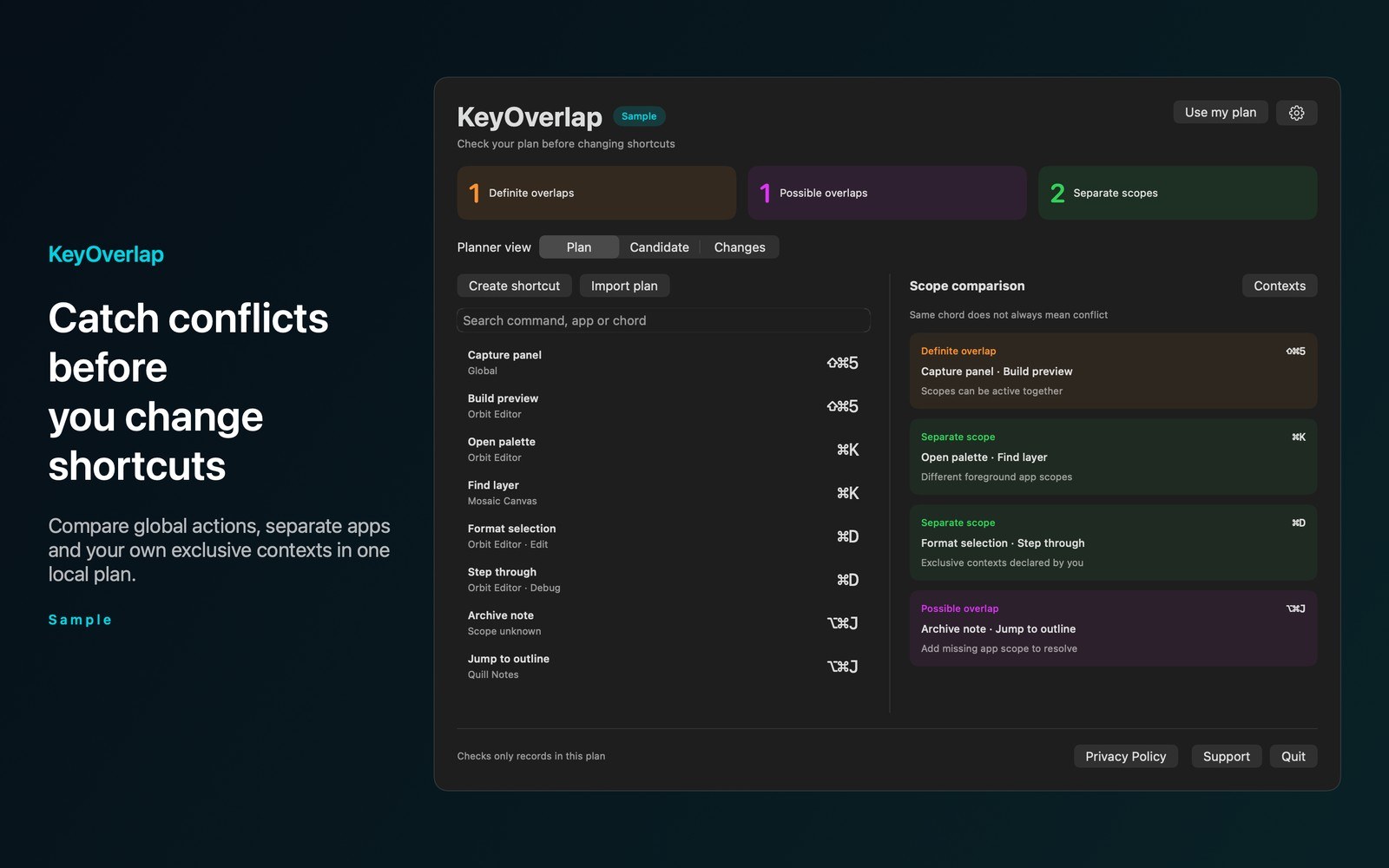
What the price covers Plan keyboard shortcuts before you apply them. Spot definite overlaps in the same scope and possible overlaps when scope information is missing.
Check the App Store purchase and refund terms when the app is released.
Requires macOS 14.0 or later
What it does
What KeyOverlap does
From the menu bar
KeyOverlap checks the keyboard shortcuts you enter and flags overlaps before you change your apps. Save a command, chord, app scope, and optional context. Matching chords in overlapping scopes are definite overlaps. Missing scope information produces a possible overlap.
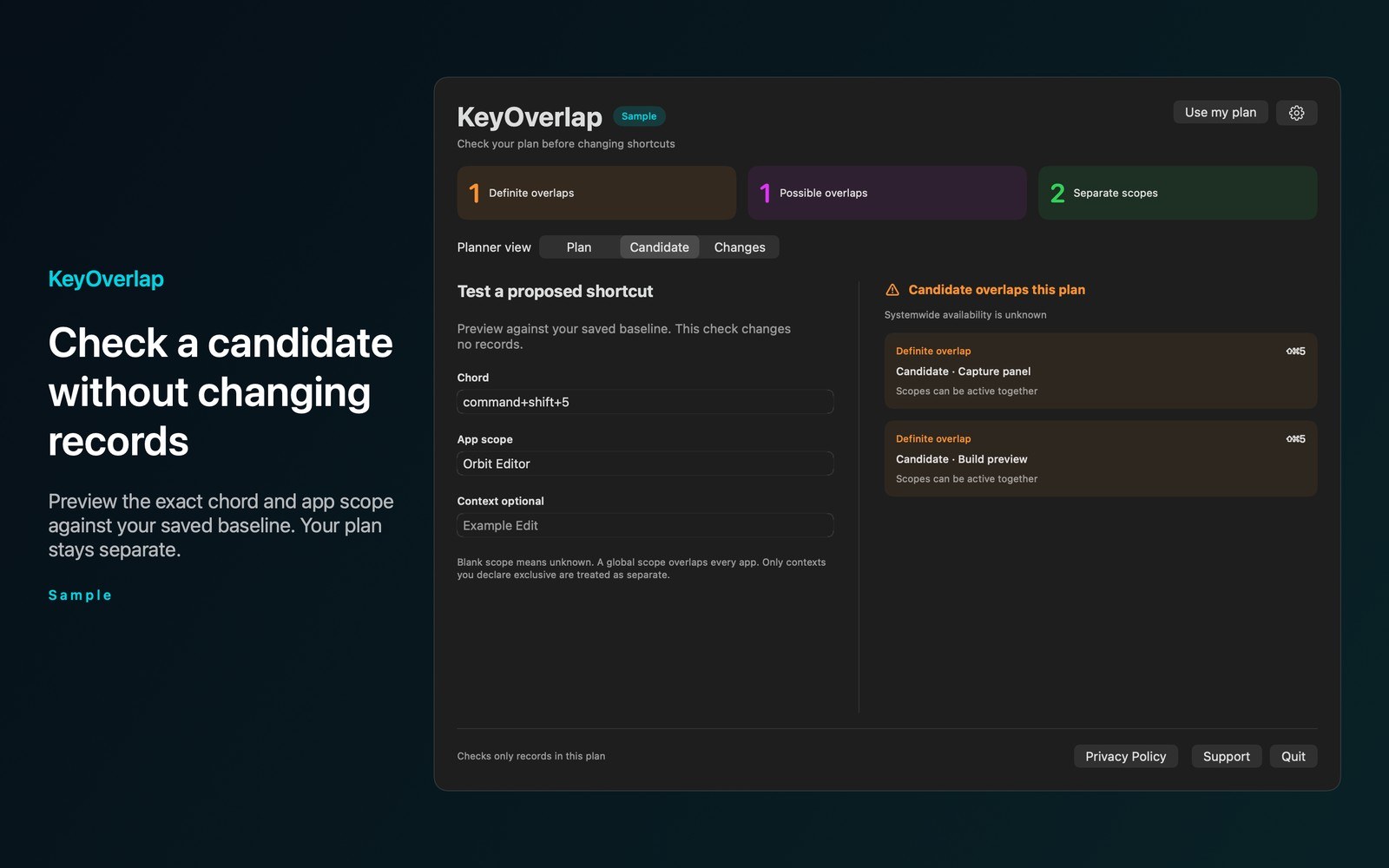
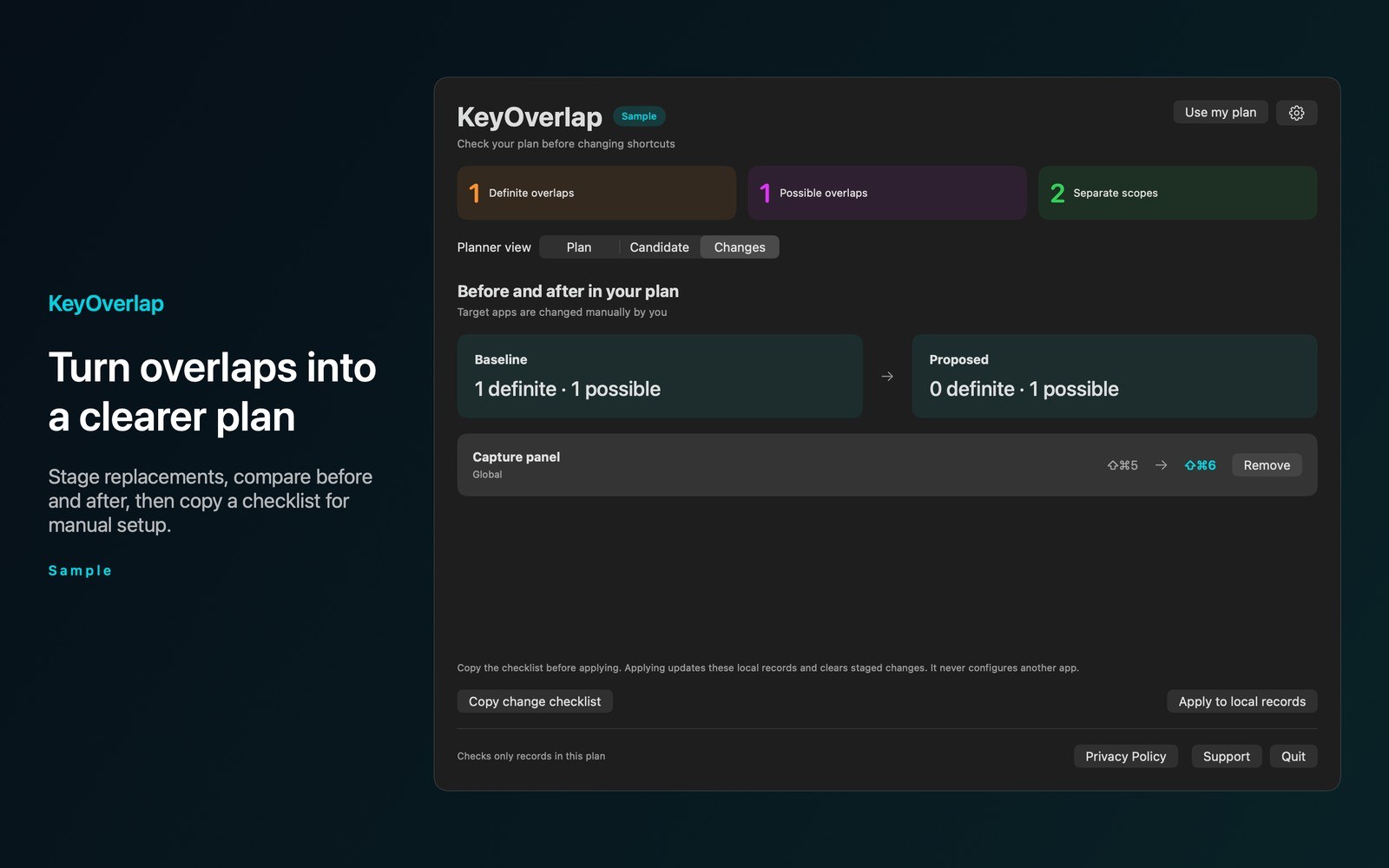
- Inside the appContext exclusions are assumptions you supply. KeyOverlap doesn’t discover installed shortcuts or promise systemwide availability. Preview a candidate without changing saved records. Stage replacements and compare their effect before applying them to your local plan.
- Working with KeyOverlapImport a documented JSON plan from a file you choose. Invalid rows leave existing records unchanged. Search by command, app, or chord. Open the planner with Command Option K or set another shortcut.
- Before you use itPlans stay on your Mac. KeyOverlap doesn’t listen to typing or inspect other apps. There are no accounts, analytics, cloud sync, or network requests. Clipboard copies happen only when you choose Copy.
Inside the app
More screenshots
Who it is for
Using KeyOverlap
Plan keyboard shortcuts before you apply them. Spot definite overlaps in the same scope and possible overlaps when scope information is missing.
Privacy and support
Read KeyOverlap’s privacy policy and support page.
App privacy policy · Get help with KeyOverlap · KeyOverlap support
Good to know
App details
What does KeyOverlap do?
KeyOverlap checks the keyboard shortcuts you enter and flags overlaps before you change your apps.