Mac menu bar app

Find folders that keep growing
CacheSlope compares folder snapshots and shows which folders have grown since your previous complete scan.
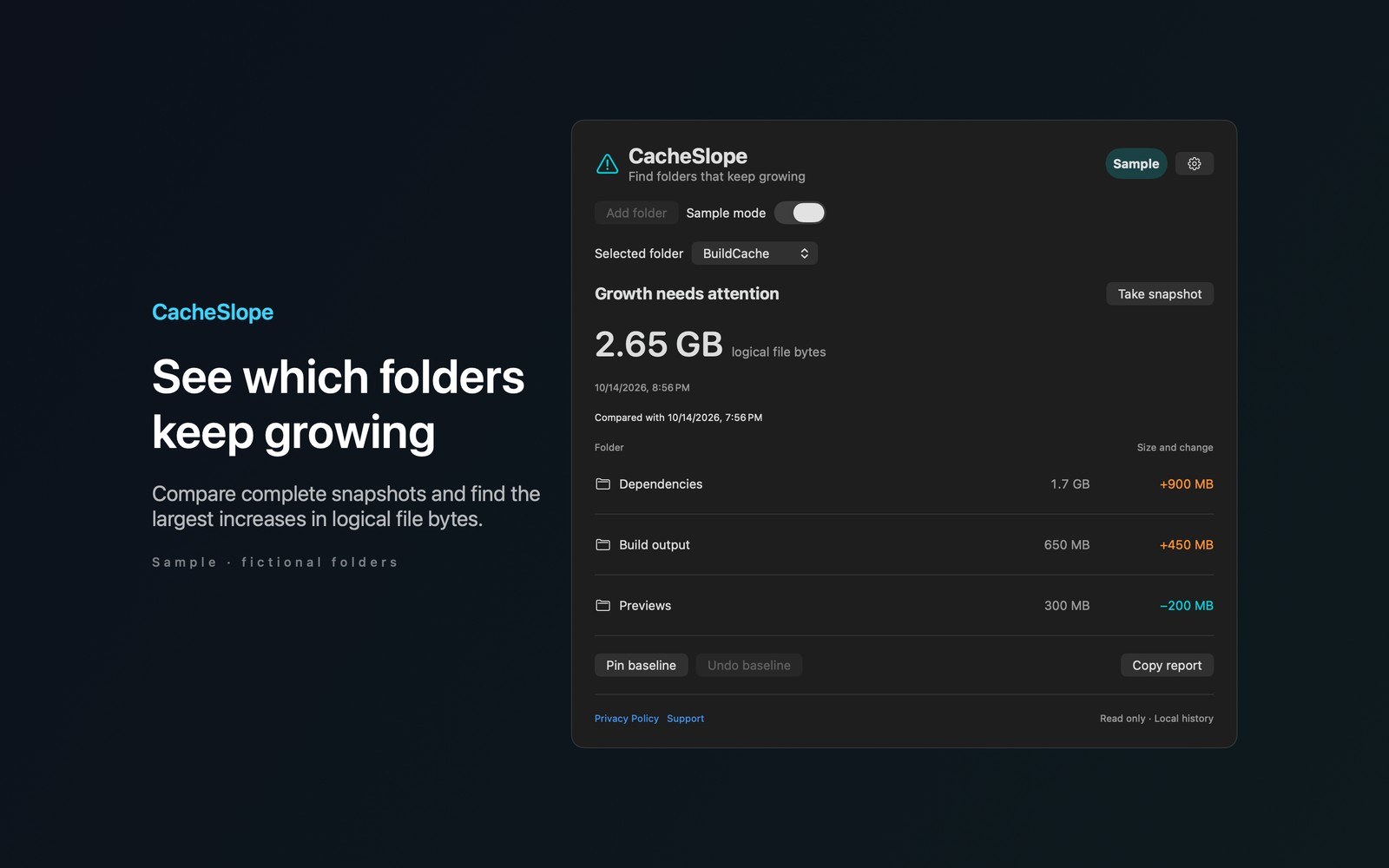
What the price covers See which folders grew since your last session. Compare complete snapshots, pin a baseline, and review the largest increases before your disk fills up.
Check the App Store purchase and refund terms when the app is released.
Requires macOS 14.0 or later
What it does
What CacheSlope does
From the menu bar
CacheSlope compares folder snapshots and shows which folders have grown since your previous complete scan. Choose a folder to grant read only access. Background scans group logical file sizes by immediate child folder and show the largest increases first. File contents aren’t read.
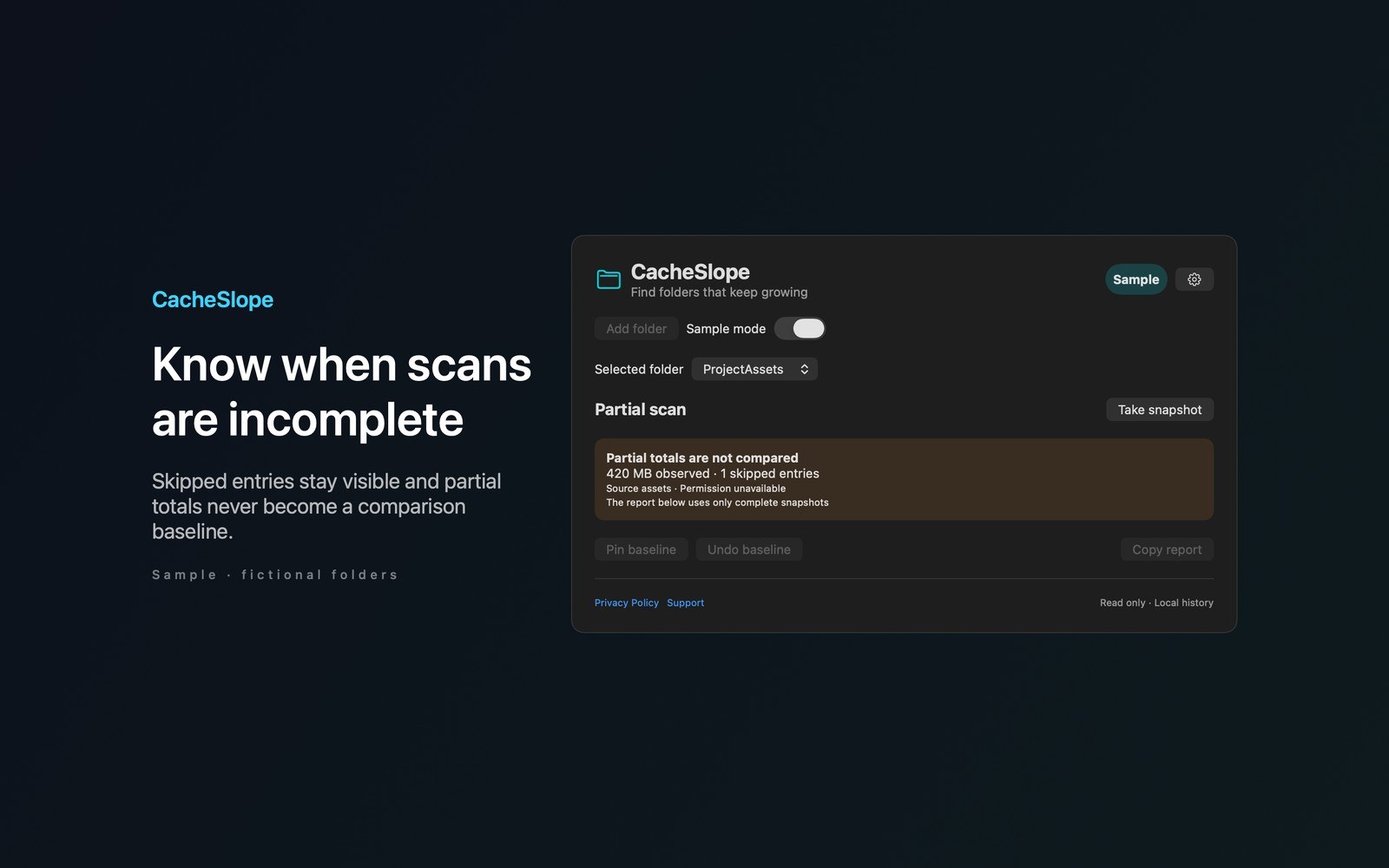
- Inside the appPin a baseline for later comparisons and undo a baseline replacement. Set a growth threshold for each folder. Reveal a folder in Finder or copy a change report when you need to investigate. Skipped symbolic links, unavailable cloud files, and cancelled scans produce partial results.
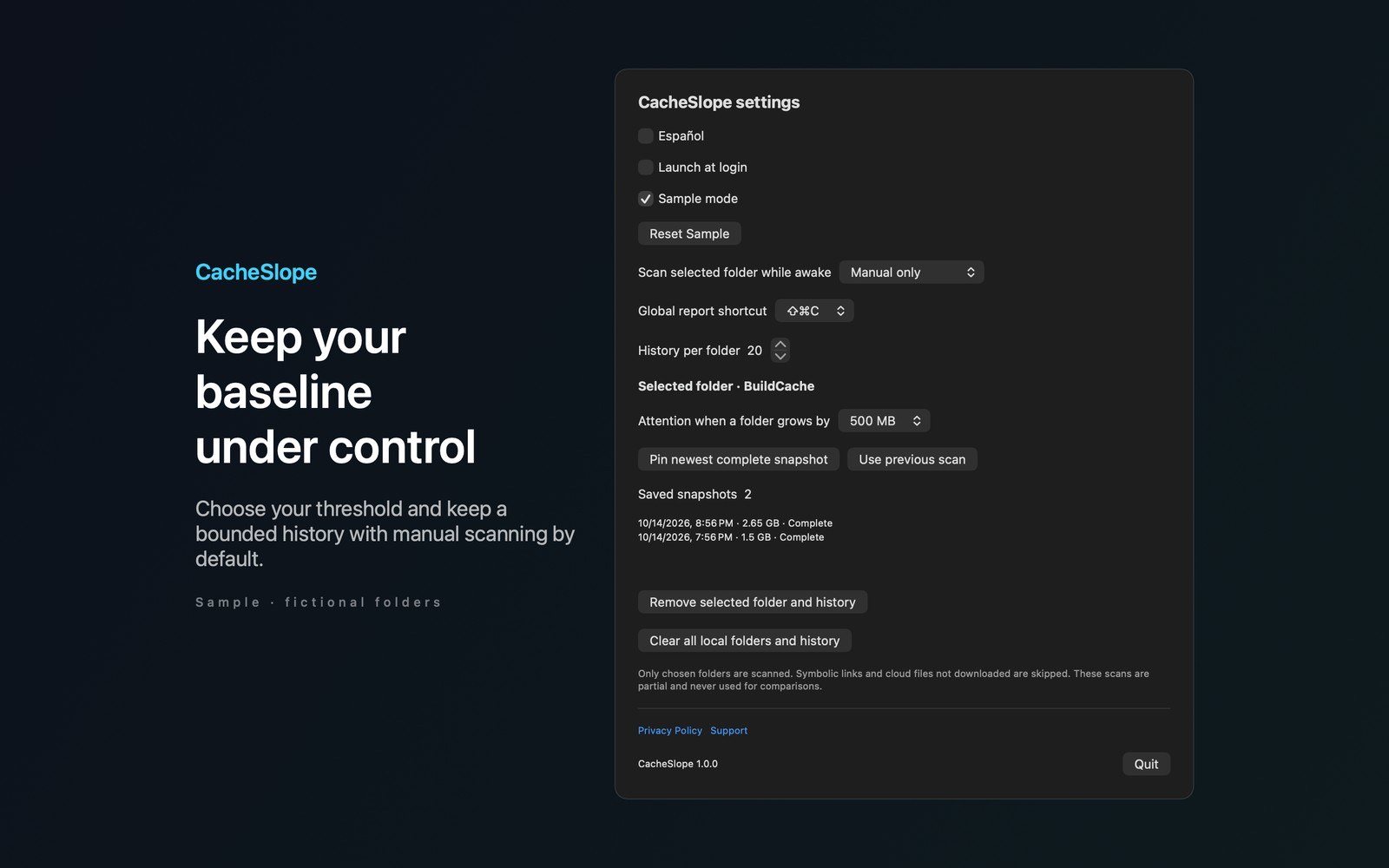
- Working with CacheSlopeManual scanning is the default. Optional interval scans run while the app is awake without overlapping. Open the report with Shift Command C or choose Shift Command G in Settings. Try Sample explores fictional BuildCache and ProjectAssets folders.
- Before you use itFolder names, bookmarks, and snapshots stay on your Mac. There are no accounts, analytics, or app network calls. Copied reports can include folder names. More Mac menu bar apps by Barframe at barframe.com.
Inside the app
More screenshots
Who it is for
Using CacheSlope
See which folders grew since your last session. Compare complete snapshots, pin a baseline, and review the largest increases before your disk fills up.
Privacy and support
Read CacheSlope’s privacy policy and support page.
App privacy policy · Get help with CacheSlope · CacheSlope support
Good to know
App details
What does CacheSlope do?
CacheSlope compares folder snapshots and shows which folders have grown since your previous complete scan.