Mac menu bar app

Capture, annotate and share
MarkShot puts screenshot capture and annotation in your menu bar.
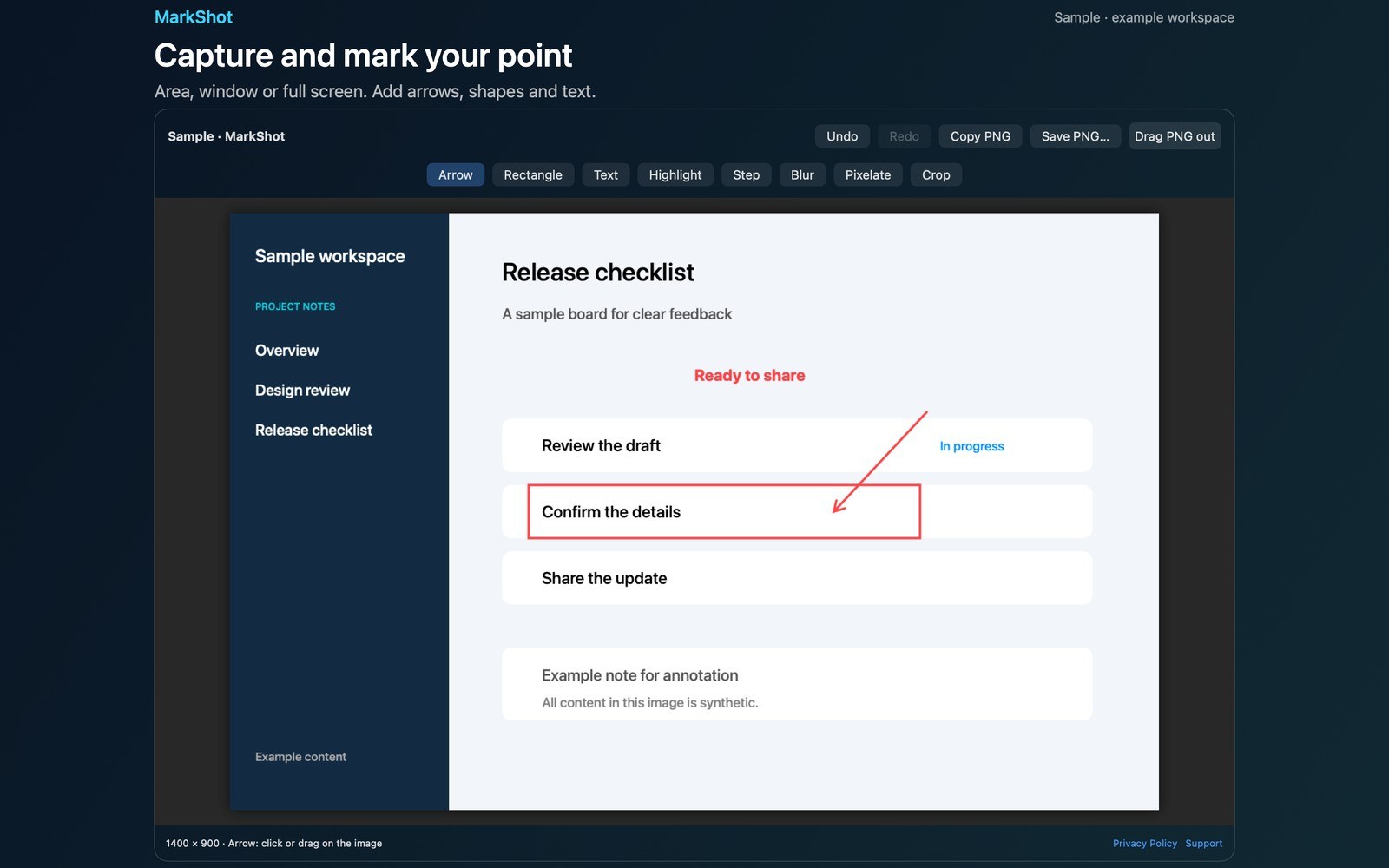
What the price covers Capture an area, window or display. Add clear annotations and numbered steps, then copy, save or drag a PNG from the native editor.
Check the App Store purchase and refund terms when the app is released.
Requires macOS 14.0 or later
What it does
What MarkShot does
From the menu bar
MarkShot puts screenshot capture and annotation in your menu bar. Capture an area, a window, or a full display with ScreenCaptureKit, then explain your point in a native editor. Screen Recording permission is required for capture. If permission is denied, MarkShot shows an explanation and a button to open System Settings.
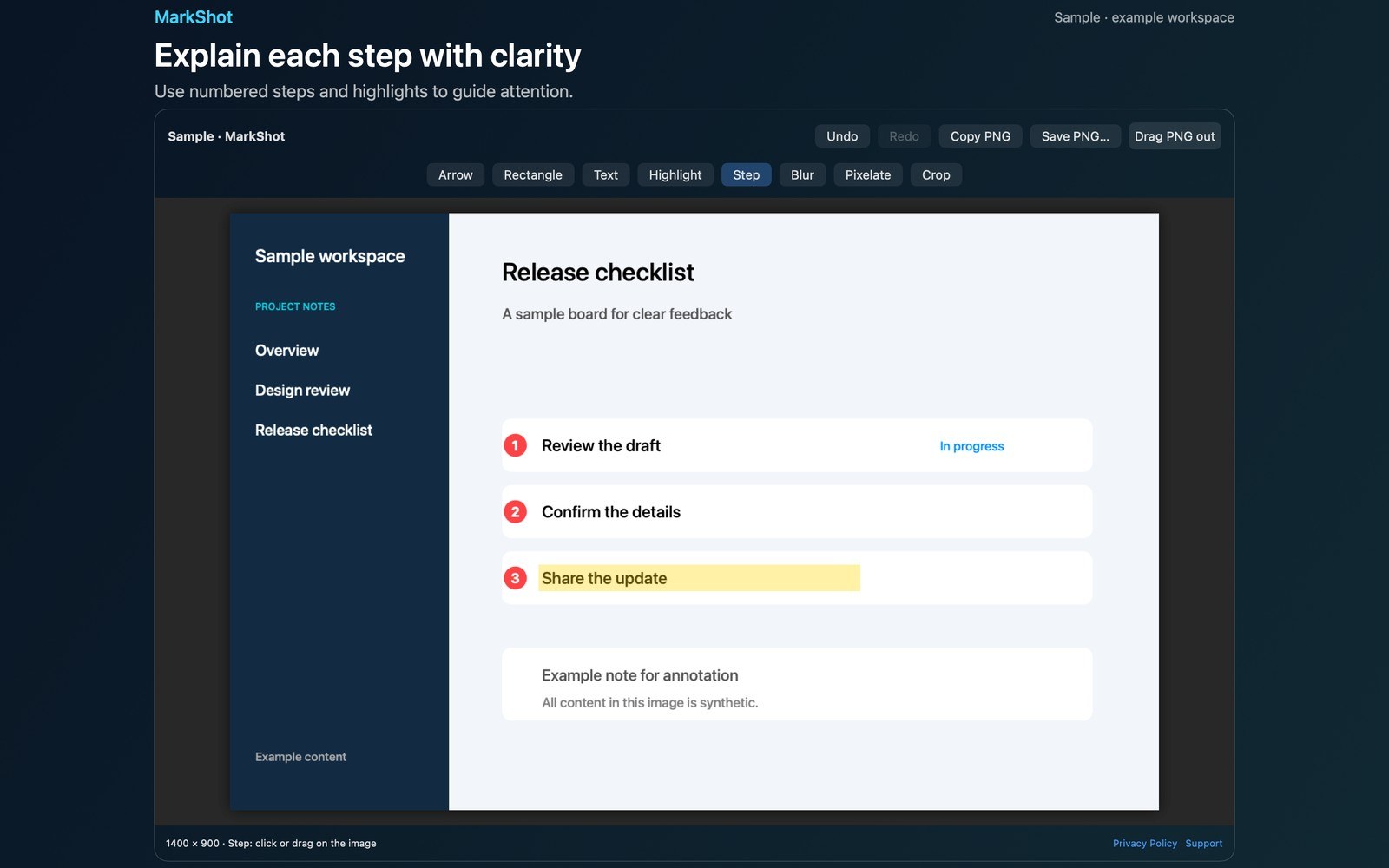
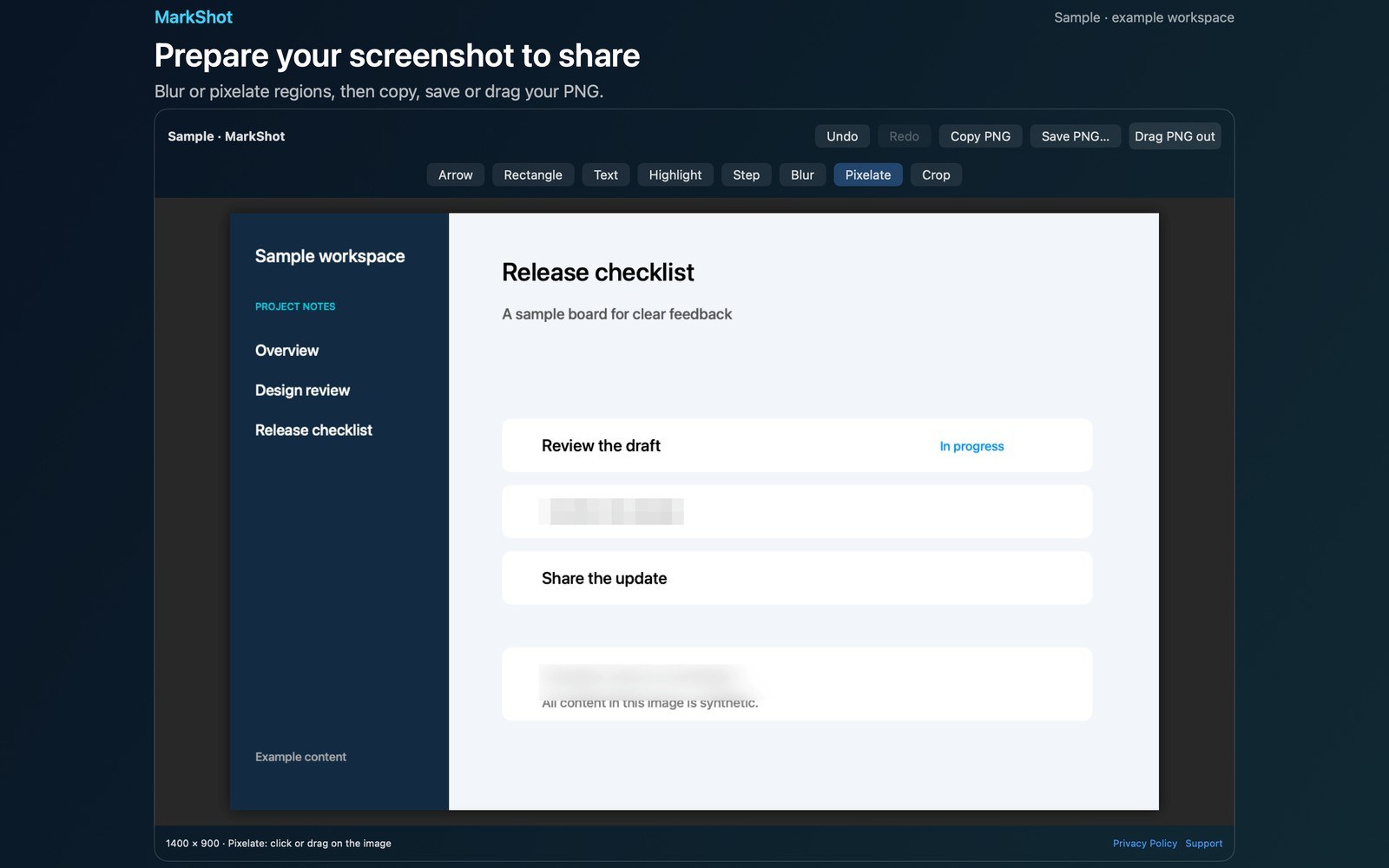
- Inside the appDraw arrows and rectangles, place text, add highlights and numbered steps, blur or pixelate a selected region, and crop the image. Undo and redo let you revise edits, including a crop. Copy a flattened PNG to the clipboard, save it with a save dialog, choose a folder for future PNG exports, or drag the PNG to another application.
- Working with MarkShotThe menu keeps your last 10 captures as local PNGs. Reopen an image to continue annotating; past edits are flattened into the history image. Edits, undo and redo automatically update local history. Copy, save and drag also update it.
- Before you use itConfigure an area-capture shortcut in Settings by selecting a key and modifiers. Shortcut availability depends on existing system and application shortcuts. Launch at login is optional and off by default. Open Sample editor from the menu to try every annotation tool using a bundled synthetic workspace image without Screen Recording permission.
Inside the app
More screenshots
Who it is for
Using MarkShot
Capture an area, window or display. Add clear annotations and numbered steps, then copy, save or drag a PNG from the native editor.
Privacy and support
Read MarkShot’s privacy policy and support page.
App privacy policy · Get help with MarkShot · MarkShot support
Good to know
App details
What does MarkShot do?
MarkShot puts screenshot capture and annotation in your menu bar.